EDMONDS COMMUNITY
COLLEGE
WINDOWS 2003 WEB SERVER
LYNNWOODELKS13.ORG
Pam Bolton
CIS 225, Winter 2010
Web Server Technology and Security
Overview
Purpose
of LynnwoodElks13.org web server – to
provide a safe environment and information about Lynwood Elks via the internet.
General
comments:
·
Do use a dedicated machine as a Web
server.
- Do physically protect the Web
server machine in a secure machine room.
- Do configure a separate anonymous
user account for each application, if you host multiple Web applications,
- Do not install the IIS server on
a domain controller.
- Do not connect an IIS Server to
the Internet until it is fully hardened.
- Do not allow anyone to locally
log on to the machine except for the administrator.
If a new web site were needed:
1. Do labs/attachments
2. Read through section content for specific reasoning
3. Permissions, permission, permissions – security very
important
4. Document, document, document precisely user names,
passwords, file locations.
5. Note
maintenance plan and disaster recovery plan – this should be integral in you
new site installation.
This documentation provides:
·
step by step
instructions for setup of web server
o
follow labs
·
security
requirements
o
test & verify
o
please, visit and
re-visit the permissions section content
·
deployment
·
maintenance
requirements for an active server
·
2-year plan
·
Disaster recovery
plan
Some
of the documentation may seem a duplicate of previous stated information – this
is just a safeguard that all the requirements are met. The Section Contents are generalized which
lead to the Attachments which provide specific instructions. Additional information was added regarding
permissions – this was obtained from Microsoft regarding security.
The
Section Content contains userid’s and passwords appropriate to that particular
function. These should probably be
secured in a different area other than this document.
If
I were doing this for EDCC, the documentation would be more professional and
permanent. This is the student edition.
Section Content – basically information in a different format
that step-by-step instructions.
Identify
Hardware 3
Identify
Software 4
Permissions
– accounts, files, directories 5-6
Hardening 7
Install
IIS 6.0 8
Web
Application 9
FTP
9
SMTP
& POP3 9
NNTP 9
Maintenance 10
2-year
Audit Plan and Disaster Recovery Plan 11
Tasks/Log
–
system administrator uses for maintenance and logging requirements (weekly or
monthly setup – including dates). A
folder/clipboard should be maintained by server, as well, in case a challenge
needs to be logged. Clear
protector
Attachments
Lab
1 –Creating Virtual Server
Assignment
1-- Installing PHP engine
Lab 2 – Hardening Windows
2003 Server
Lab 3 – Installing IIS
Lab 4 – Security Configuration
and Analysis
Lab 5a – Advanced Web
Security Configuration
Lab 5b – Advanced Web
Security Configuration
Supplemental – Installing
& configuring Custom 404 Errors
Lab 6 – Application Pools
Supplemental – Using ODBC Configuration
Supplemental – Disabling
SMB and NetBIOS
Lab 7 – Working with FTP
Servers
Lab 8 – Securing SMTP and
POP3 services
Lab 9 – NNTP Services
Lab 10 – Log Files
|
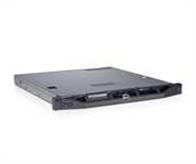
Identify hardware – server is physically located in Snohomish Hall, Room 124. The server is part of EDCC network. *just guessing on type of hardware (all hardware should have the same stats as server) |
||
|
Description |
Where |
Attachment |
|
Server |
Domain – sandbox.edcc.edu |
|
|
Server (virtual) |
sandbox_w2k3_pamz username – pamz password – 1@fishing |
|
|
Server – backup |
sandbox_w2k3_pamzbu username – pamz password – 1@fishing |
|
|
Server – test environment |
sandbox_w2k3_pamztest username – pamz password – 1@fishing |
|
|
Firewall |
Watchguard |
|
|
Server ·
PowerEdge R210 ·
Purchased
July 2009 ·
Serial #
JMX3RTY · Warranty: EDCC carries a gold plan with Dell which includes onsite & replacement maintenance for 3 years. |
|
|
|
Router |
Cisco |
|
|
SMTP & POP3 virtual server |
Name -- LynnwoodElks13 |
|
|
NNTP virtual server |
|
|
|
Identify software – all software that should be loaded on virtual server. Labs setup specific software in an orderly fashion. This documentation should include version and licensing information. |
|||
|
Where |
Task |
Attachment |
|
|
McAffee |
Antivirus
protection |
|
|
|
VMware |
Server version c:\program files |
Lab 1 |
|
|
PHP engine (5.2.12 |
General-purpose scripting language that was originally designed for web development to produce dynamic web pages http://us/php.net/downloads.php |
Assignment 1 |
|
|
IIS - Internet Information Systems |
Install components from control panel, add/remove programs, Application Server, click on IIS |
Lab 3 |
|
|
IIS 6.0 Resource Kit Tools Metabase Explorer tool |
C:\program files\ Self SSL 1.0 http://www.microsoft.com/downloads/details.aspx?FamilyID=56FC92EE-A71A-4C73-B628-ADE629C89499&displaylang=en |
Lab 5b |
|
|
MBSA – Microsoft Security Base Analyzer |
Use MBSA to detect common security misconfigurations and missing security updates on your computer systems. http://technet.microsoft.com/en-us/security/cc184924.aspx |
Lab 4 |
|
|
Outlook Express |
Utilized for information feeds |
Lab |
|
|
UrlScan 2.5 |
Reduce the attack surface of server |
Lab 5b |
|
|
Windows Server 2003 Enterprise Edition |
|
Lab 1 |
|
|
Windows Server 2003 Security Guide |
This technical guidance provides information about how to harden computers that run Microsoft Windows Server 2003 with Service Pack 1 (SP1). http://www.microsoft.com/downloads/details.aspx?familyid=8A2643C1-0685-4D89-B655-521EA6C7B4DB&displaylang=en |
Lab 4 |
|
|
Security Compliance Management Toolkit |
provide recommendations for hundreds of Group Policy security settings designed to assist customers in making the environments of their organizations more secure |
Lab 4 |
|
|
Permissions – access to accounts, files, directories (Enforce strong authentication) |
|
||
|
Where |
Task |
Attachment |
|
|
Administrator other Userid pamz userid cis225 Password 11@fishing password N0th1ngSpec1al |
|||
|
MMC – Microsoft
Management Console |
·
Command Line Interface,
accessed at start, run ·
Use add/remove
snap-ins ·
Utilized to grant
users access |
|
|
|
General Info (each
bullet should be checked for validity prior to deployment) |
·
Administrator
account is renamed and has a strong password. ·
Establish user account ·
Disable guest account ·
do NOT disable IUSR_Guest ·
Unused
accounts are removed from the server. ·
Verify
IUSR_Class_XXX has read & execute ·
IUSR_MACHINE account
is disabled if it is not used by the application. ·
If your applications
require anonymous access, a custom least-privileged anonymous account is
created. ·
The anonymous account
does not have write access to Web content directories and cannot execute
command-line tools. ·
ASP.NET process
account is configured for least privilege. (This only applies if you are not
using the default ASPNET account, which is a least-privileged account.) ·
Remote logons are
restricted. (The "Access this computer from the network" user-right
is removed from the Everyone group.) ·
Null sessions
(anonymous logons) are disabled. ·
Policy procedures
should be in place from EDCC o
Accounts are not
shared among administrators. o
Approval is required
for account delegation. ·
No more than two
accounts exist in the Administrators group. ·
Users and
administrators do not share accounts. Group
Policy Object Editor ·
Setup Password Policy ·
(EDCC should have a
password policy) |
Lab 2, page 1-2 |
|
|
Metabase |
·
The metabase is a repository for most Internet
Information Services (IIS) configuration values. Utilized to configure registry rather than
configuring registry directly. ·
Access
to metabase is restricted by using NTFS permissions (%systemroot%\system32\inetsrv\metabase.bin). |
|
|
|
Registry |
·
Remote
registry access is restricted. |
|
|
|
FTP |
·
Remote
administration of the server is secured and configured for encryption, low
session time-outs, and account lockouts. |
Lab 7 |
|
|
Port access |
·
Internet-facing
interfaces are restricted to port 80 (and 443 if SSL is used). ·
Intranet
traffic is encrypted (for example, with SSL) or restricted if you do not have
a secure data center infrastructure. |
Supplemental SMB
& NetBIOS |
|
|
·
Permission
should be read & execute |
Assignment 1 |
||
|
Script mapping |
·
Extensions
not used by the application are mapped to 404.dll (.idq, .htw, .ida, .shtml,
.shtm, .stm, idc, .htr, .printer). ·
Unnecessary
ASP.NET file type extensions are mapped to "HttpForbiddenHandler" in
Machine.config. |
|
|
|
ISAPI filter |
·
Unnecessary
or unused ISAPI filters are removed from the server. |
|
|
|
Machine.config |
·
Protected
resources are mapped to HttpForbiddenHandler ·
Unused
HttpModules are removed ·
Tracing
is disabled <trace enable="false"/> ·
Debug
compiles are turned off. Copy Code <compilation
debug="false" explicit="true"
defaultLanguage="vb"> |
|
|
|
Code Access Security |
·
Code
access security is enabled on the server. ·
All
permissions have been removed from the local intranet zone. ·
All
permissions have been removed from the Internet zone. |
|
|
Sites & Virtual
Directories |
·
Web
sites are located on a non-system partition. ·
"Parent
paths" setting is disabled. ·
Potentially
dangerous virtual directories, including IISSamples, IISAdmin, IISHelp, and
Scripts virtual directories, are removed ·
Include
directories do not have Read Web permission. ·
Virtual
directories that allow anonymous access restrict Write and Execute Web
permissions for the anonymous account. ·
There
is script source access only on folders that support content authoring. ·
There
is write access only on folders that support content authoring and these
folders are configured for authentication (and SSL encryption, if required). ·
FrontPage
Server Extensions (FPSE) are removed. |
Lab 5a |
|
|
IWA authentication |
·
use in intranets where all the clients are
within a single domain ·
user name --
ER full name – exalted ruler ·
password
-- 2117Er2010 |
|
|
|
Anonymous & Basic authentication |
·
Utilizing
your EDCC security policies, plan setup for server |
Lab 5a |
|
|
Hardening/securing web server |
||
|
Description |
Task |
Attachment |
|
Static IP address
for virtual machine Subnet Mask Default Gateway DNS |
10.1.12.213 255.255.255.0 10.1.12.251 10.1.12.251 |
Lab 2, page 1 |
|
Install McAffee |
Virus protection |
Lab 2, page 3 |
|
Disable Services |
Alerter Application management Clipbook DHCP Client DHCP Server DNS server File replication IMAPI Cd-Burning COM service Intersite messaging Messenger MS software shadow copy provider Portable media serial number Print spooler Remote registry Secondary login Telephony Themes Upload manager Windows media services Wireless configuration WZCCVC Unnecessary Windows services are disabled. |
Lab 2, page 4 |
|
FTP, SMTP, and NNTP services are disabled if
they are not required. Telnet service
is disabled. |
|
Lab 7a Lab 8 Lab 9 |
|
Patches and
updates will be addressed in Maintenance section |
Usage of
MBSA and/or automatic notification |
|
|
ASP.NET state service is disabled and is not
used by your applications. |
|
|
|
IIS 6.0 |
||
|
Description |
Task |
Attachment |
|
Install
IIS |
|
Lab 3 |
|
UrlScan
|
·
URLScan
is installed and configured. –
improve security, reduce attack surface of web servers running earlier
versions of IIS. – primarily Denial of Service attacks ·
Setup
urlscan.ini – query allowing certain actions to be processed ·
C:\windows]system32\inetsrv\urlscan |
Lab 5b |
|
IIS
banner information is restricted (IP address in content location disabled). |
|
|
|
Basic
Services |
·
World Wide Web Publishing Service o
Active server pages o
Service side include o
World wide web service ·
FTP Service ·
SMTP service ·
NNTP Service ·
IIS Admin Services |
Lab 3 |
|
Create
certificate |
·
Certificates
are used for their intended purpose (for example, the server certificate is
not used for e-mail) ·
Common
name – lynnwoodelks13.org ·
Site
id – 934242787 ·
Valid
for 90 days ·
At cmd, selfssl.exe /? (to see options) |
Lab 5b |
|
Application
pool |
·
setup MMC ·
isolate one web site from another |
Lab 6 |
|
ODBC
– Open Database Connectivity |
·
web developers use to connect website to
database ·
credentials needed to access the database. |
supplemental |
|
Disable SMB & NetBIOS |
·
Reduce
attacks against internet ports ·
NetBIOS
and SMB are disabled (closes ports 137, 138, 139, and 445) |
supplemental |
|
WebDAV
is disabled if not used by the application OR it is secured if it is
required. |
Web-based Distributed Authoring and Versioning, or WebDAV, is a set of extensions to the Hypertext Transfer Protocol (HTTP) that allows computer-users to edit and manage files collaboratively on remote World Wide Web server |
|
|
Web Application |
||
|
Description |
Task |
Attachment |
|
Install
Web Application |
Moved to a more secure location C:\webpublishing |
Lab 5a |
|
Default web site |
IP address – 127.0.0.1 Host name – lynnwoodelks13.org |
|
|
Hosts
File |
· The mappings of IP addresses to host names. · Use to block ads, banners, 3rd party Cookies, 3rd party page counters, web bugs, and even most hijackers. ·
%systemroot%system32\drivers\etc hosts |
Lab 5b |
|
LynnwoodElks13.org |
Setup authentication |
Lab 5a |
|
FTP (file transfer protocol) |
||
|
Description |
Task |
Attachment |
|
Install
thru add/remove windows components |
·
Description – Lynnwood Elks’ FTP site ·
IP address
10.1.12.213 ·
TCP port setting -- 21 IP address – 10.1.12.213 Mailbox name is ER@lynnwoodelks13 c:\LynnwoodElksMail\mailbox |
Lab 7 |
|
SMTP & POP3 |
||
|
Description |
Task |
Attachment |
|
Install
SMTP & POP3 |
IP address – 10.1.12.213 Mailbox name is ER@lynnwoodelks13.com c:\LynnwoodElksMail\mailbox |
Lab 8 |
|
NNTP |
||
|
Description |
Task |
Attachment |
|
Install
NNTP |
NOT really setting up IP address – 10.1.12.213 Port -- 119 C:\inetpub\nntpfile |
Lab 9 |
|
Configure |
Newsgroup subtree |
|
|
Maintenance – utilize & maintain TASKS/LOG form |
|
||
|
Description |
Task |
Attachment |
|
|
MBSA |
MBSA is run on a regular
interval to check for latest operating system and components updates. |
|
|
|
Updates & patches |
The latest updates and
patches are applied for Windows, IIS server, and the .NET Framework. (These
are tested on development servers prior to deployment on the production servers.) |
|
|
|
Set
up test scenario |
See Tasks/Log for daily, weekly, monthly scenarios |
|
|
|
Backup |
Create a procedure for backup. |
|
|
|
Audit
|
·
Failed
logon attempts are audited. · Event viewer o System o Application o Security ·
HTTP API error |
|
|
|
UrlScan & Custom errors |
Setup UrlScan |
Lab 5b supplemental |
|
|
Certificate |
Should have a renewal
time – put it on calendar |
|
|
|
Logging |
·
IIS
is configured for W3C Extended log file format auditing. ·
IIS
log files are relocated and secured. ·
Log
files are configured with an appropriate size depending on the application
security requirement. ·
Log
files are regularly archived and analyzed. |
|
|
|
Sources for security bulletins |
· Technet.microsoft.com/en-us/Security · Subscribe to the Microsoft Security Notification Service at http://www.microsoft.com/technet/security/bulletin/notify.asp. · Setup Outlook Express for information feeds from multiple sites |
|
|
|
SMTP
logging |
W3C Extended Log File format %windir%\system32\logfiles\ -- default C:\smtplogfiles |
Lab 8 |
|
|
NNTP
information |
Newsgroup – information Description – titled -- IIS_Issues W3C Extended Log File Format |
lab 9 |
|
|
NNTP
logging |
IIS manager – log files – can determine what want Tool good for – |
|
|
|
2-year Audit Plan |
||
|
Description |
Task |
Attachment |
|
There should be an audit team |
Audit team should include users, programmers, web developers, administrators, and students. |
|
|
This audit team would: ·
Big picture ·
Revisit initial needs of web server ·
Challenges, security policies ·
Upgrade to Web Server 2008 |
How does this web site play in the big picture (ex: EDCC going to windows 7) Are these needs being met? Any challenges or policies that need reinforcing? Is it time to look at upgrading? Does Server 2008 provide any enhancements that are missing or needed? |
|
|
Disaster Recovery Plan |
||
|
Description |
Task |
Attachment |
|
Who is responsible to
initiate disaster recovery plan/procedures? What server and hardware
are critical? What frequency and scope
of backups, where are they stored, and are resources available to Team? |
|
|
|
Person or Team |
·
Teams availability or policy for
work 24/7? · How do contact? · Familiarity with plan? · Who can perform tasks? |
|
|
Critical hardware |
· What hardware is critical · List of server names & specifications? · Access to critical hardware? |
|
|
Backup storage and retrieval |
· Where are backups stored? · Incremental/ full? · Determine restore point? |
|
|
Mitigating disaster impact |
· Determine how to setup servers? · Cost of productivity vs unavailability? |
|